
New ParentSquare Attendance Feature
Posted Date: 11/06/26 (08:30 AM)
We are excited to share a NEW update where you can now report your child's absence prior to their missed days AND can now submit a doctors note- all from your app! No more lost notes in backpacks!
Official Help Article: https://parentsquare.zendesk.com/hc/en-us/articles/47350923237901-Report-an-Upcoming-Absence
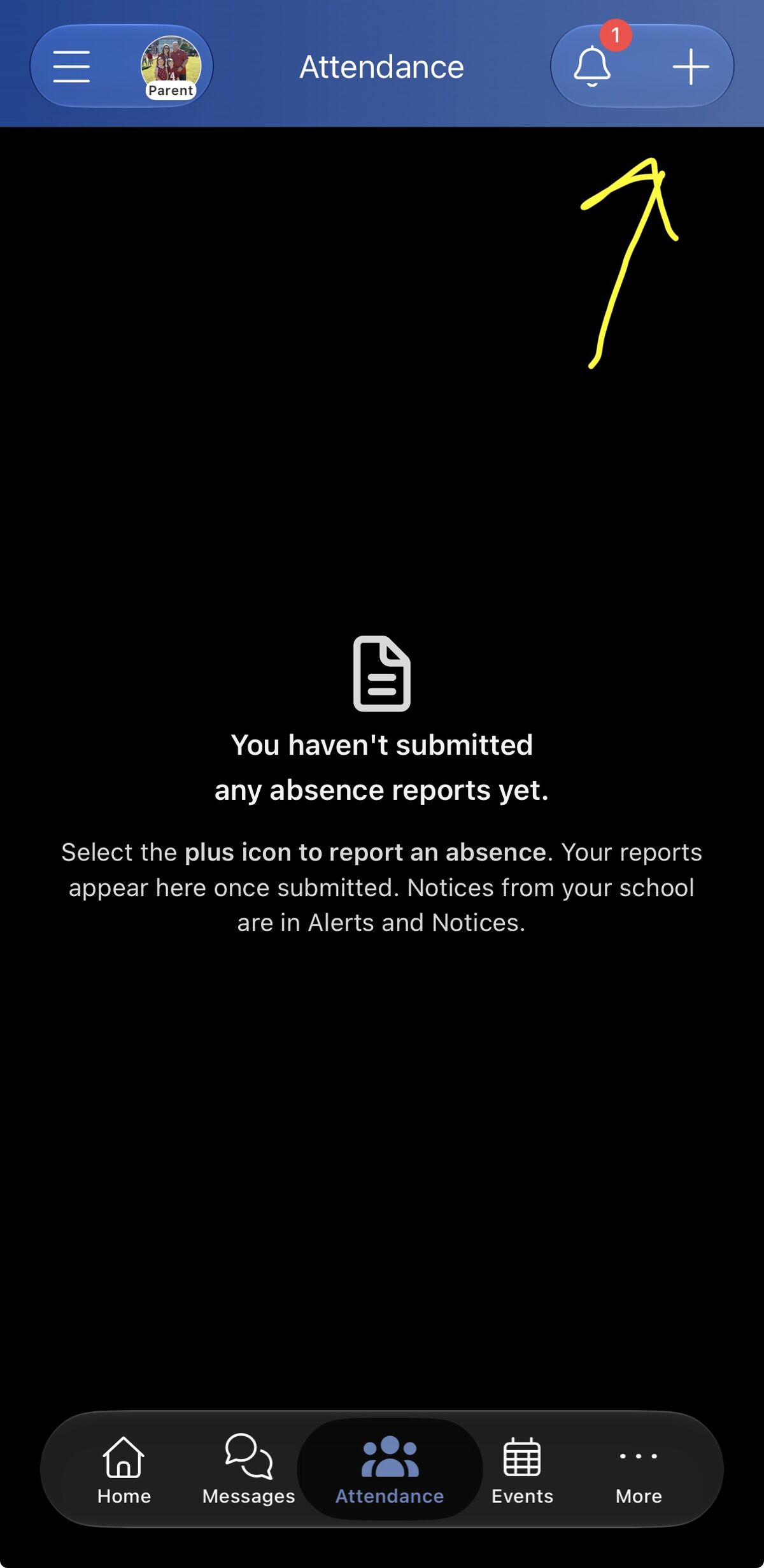
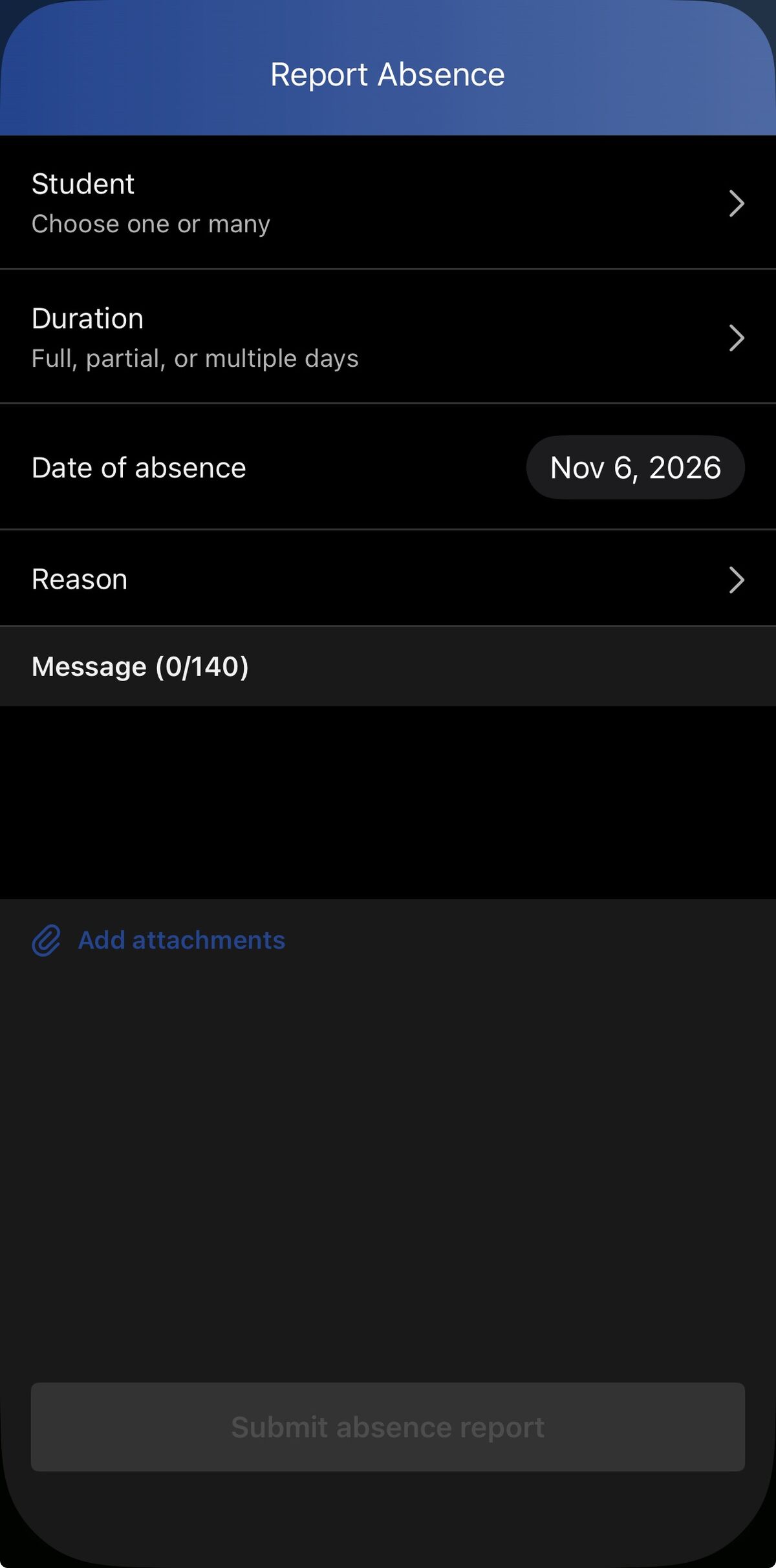
In your parent app, you should now see an "Attendance" icon in the bottom menu. You can click this icon, then choose the + sign to report an absence. Then you can choose your student, duration (whole day or half), date and the reason. You can easily add a photo of a doctor's note too!
 |
 |